Posts

Slow & Steady

     This week was another of incremental progress on Mini Solar System. There's still lots that I'm doing in my personal life which means I don't have nearly the time I would like to dedicate to MSS, though I did complete some tasks that needed to be done.  Organization & File Structure     The largest one of these tasks was to organize the file structure in the /Source directory. When I came back to the project one of the first things I noticed was that all the source files were just sitting in /Private or /Public and there were no subdirectories. This is in stark contrast to the other projects I have worked on in the past couple years where source files are organized and grouped by their use. For example all single use game related classes like game-mode, game state, game instance, save game, were all in a /Game directory. Player pawns and controllers would go in /Player, and so on. I grouped together classes related to the color generation as well a...

Another Chapter

Image
      Hello again, it's been a while! A few years actually. I took a break from regularly updating this blog during my time working at Studio369. It was an overall amazing experience and I am incredibly grateful for the opportunity; I learned a lot and got to work with a bunch of really talented people. But sadly it seems my time there may in fact be coming to a close.       I've picked up Mini Solar System again and have resumed development. In the last two weeks I have upgraded the project to the latest version of the Unreal Engine (5.8.1) and setup a proper fork of the engine with the local changes needed for MSS. It was quite a slow process as I was using a hard drive for the project (I'm running out of storage and the RAM shortage has made new SSDs too expensive right now ;-;), but after shuffling some projects around and getting it on an NVMe development is now faster than ever!      I'm resuming development by correcting old mista...

A New Chapter

Image
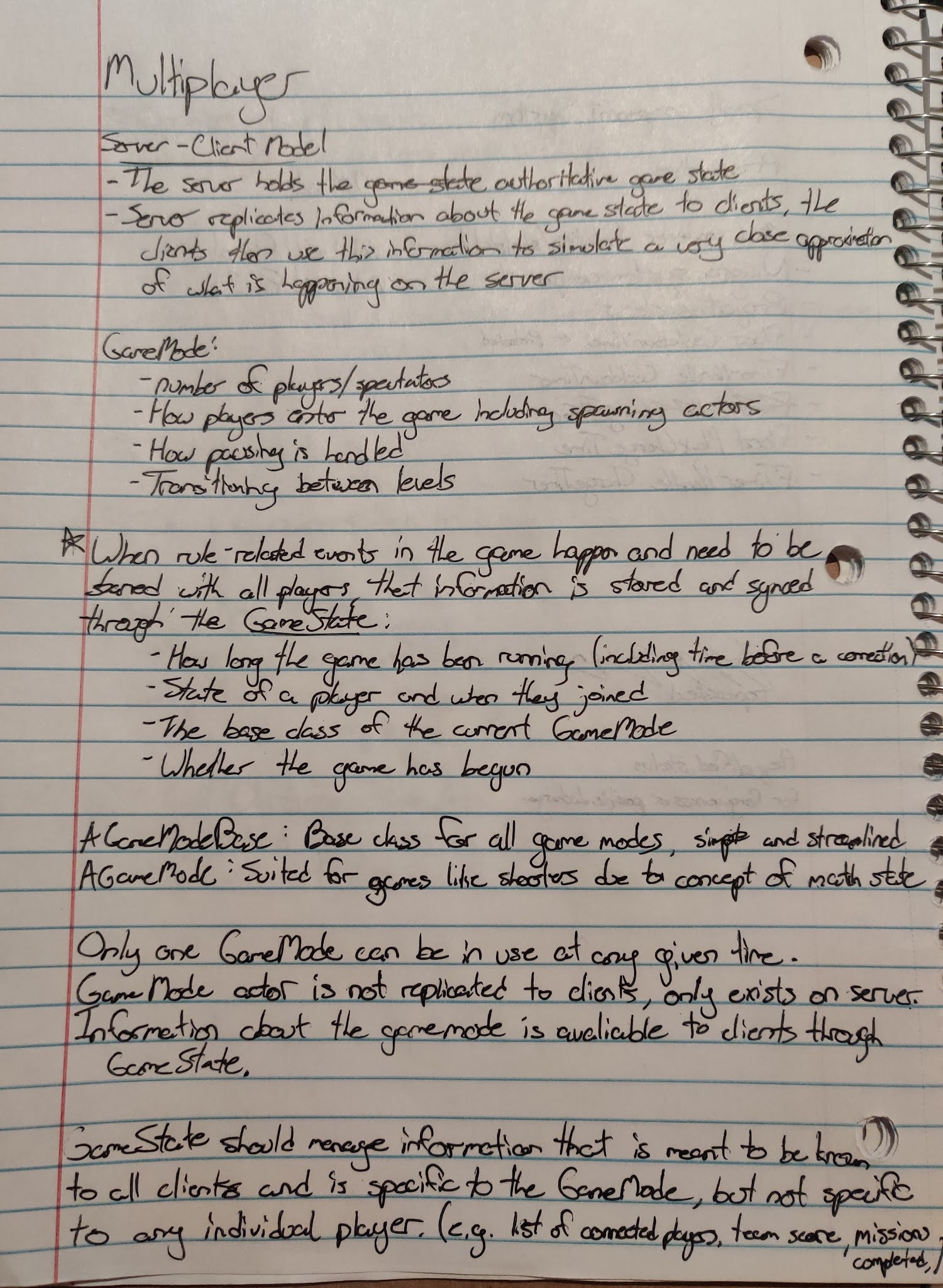
     This week has presented the biggest change probably since the release of Mini Solar System; I was offered a full-time position as a junior programmer at Studio 369 which I was happy to accept. I start on Monday and I couldn't be more excited to work with the team there! However, this did mean though that my priorities shifted quite instantaneously. I went from working full-time on "RPG_Game" to preparing for this new job. This mainly meant getting up to speed on networking as that is the one area of Unreal Engine I feel I have a lack of knowledge in (I'm already proficient in UI, AI, gameplay, materials, and general backend work), and since 369's specialty is networking I figured I would come prepared. I did do a little work on "RPG_Game" but it was minimal just to tie up some loose ends. Unreal's Multiplayer Framework      As explained by the Unreal Engine documentation, "multiplayer programming [is] inherently more complex than programmin...

Polishing the Foundation

Image
     This sprint was relatively uneventful; mainly cleaning up the existing foundational elements of the game (the first person character and spell component) and continuing to improve the necessary elements of the game like the pause screen. Player Character & Spells      The improvements to the player character come in two parts; the ability to have, use, and change spells, as well as interaction via an interface. Both of theses are as simple as I could make them. Utilizing inheritance from USpellBase using the spells is only really a single line, and changing out the spells we can use the NewObject factory to make a new spell very simply. FirstPersonCharacter.h FirstPersonCharacter.cpp      As for the interaction interface, it only consists of two functions right now, one to fire an interaction event and one to check if the object can be interacted with. This second function is used mainly to show UI on the player's screen like...

Spell Component System

Image
     This sprint was focused mainly on creating the base spell class. This process was mainly bottle-necked by the sub components used for visual representation of the spell and how Unreal's component system deals with dynamically creating and destroying components. More Minor Additions      Before I get into the main event, I'll take some time to explain the other, less ground-breaking, changes I made on Monday.      The first of these was the loading screen. I mentioned that in the last sprint I couldn't get the loading screen to recognise that a level had been loaded and speculated that it had to do with some change to the way the engine streamed levels. Actually though it was all due to an unset variable. You see, if you want the loading screen to be user dismissible then you have to set the "PlayTime" variable (which controls the minimum time to play the loading screen) to -1 instead of 0 like I had originally thought. Problem so...

Building the Foundation

     This week's sprint had me shifting to working entirely on the new project. However, I'm not yet doing the exciting gameplay but instead I am polishing the less fun, but vitally important, foundation of the game. This means menus, settings, loading screens and anything else that will be needed for a video game. The Main Menu      Ultimately, there isn't too much to share, I mean, it's just a menu; the vast majority of games have one and most are forgettable. So, to avoid doing what I've done at least half a dozen of times before I decided to make a scrolling menu. I was thinking that from the main menu, hitting settings would scroll down and below that would be credits and so on.      I started approaching this with the widget switcher. I planned to animate the transition between menus but there wasn't any built in support for it so to avoid wasting time I moved on (In hindsight, it wouldn't be that difficult to do but would take ...

Post Release & Future Project

     Since the 1.0 release I have been continuing to fix bugs and overall improve the game. I am also collaborating with a team on a new project. Minor Update-1.1      A week after the release of the game I worked on the 1.1 version. The main features to pay attention to are the addition of Linux support and the option to have up to five save files. The other less flashy changes mostly include small bug fixes and minor improvements.      Support for other platforms is something that I've wanted to do for some time but never got around to. It was only when that I got a specific request for a Mac version that I realized there was real demand for it. So I looked into packaging for other platforms and I found that it's not as simple as I would have hoped. In terms of making a Mac build from my Windows PC, I had no luck. You need an Apple machine to build for that platform so that was more or less out the window. I found you could rent ma...

Mini Solar System Postmortem

     On September 6, 2021 at 5:05pm MT, Mini Solar System version 1.0 was released. I had initially planned to launch at noon but a last minute bug with volume control of all things, delayed the release until the end of my day. This progress update will not focus on the work I did for the upcoming 1.1 release, but instead will be a post-mortem; recounting the entire development of the game. Overview      Mini Solar System started with the working title "Space Game" and development officially started on May 10, 2020 exactly 16 months ago to the day of me writing this. Development really began to speed up in mid February 2021 when I went full time on the project after deciding to defer university for a year; due mainly to complications related to COVID-19.      There was no real design goal at the start and was initially meant to be a way to display my technical skill and also learn more about the Unreal Engine while I was at it. At the...

Progress Update #38

Image
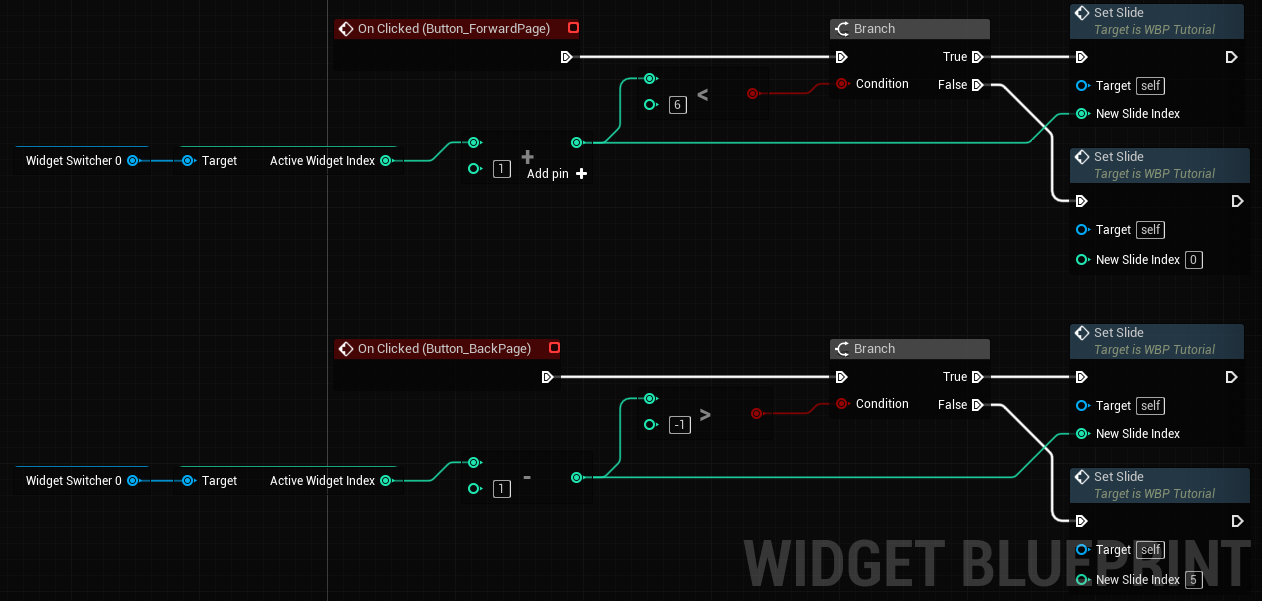
    Preparing for Launch / Open Beta Post-Mortem      This is the last full sprint I'll have before the game officially launches in v1.0. I did a small amount of promotion for the open beta that got some people playing the game. I also made fixes and optimizations as well as a tutorial in preparation for the game's launch. Open Beta      I posted the game in 3 game-dev related subreddits and the project sharing channels of two Discord servers. The game page was viewed 72 times and downloaded 22 times for a download rate of 30.5% which I am happy with. According to the analytics page though, all of those people came from reddit so I will keep that in mind for future promotion.      I only got one bug report from the beta though. I assume because if you give the game to the public then most people won't be actively trying to break the game so I guess that's excusable. I did get a few questions though on how to play the game wh...

Progress Update #37

Image
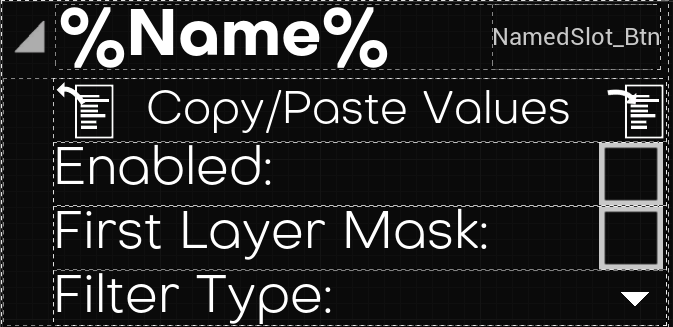
  The Organizational Update     This sprint was focused on making organizational changes to the game. Both on the front-end and the back-end. Front-End      The changes here consisted of improvements to the layout of the "Bodies" tab of the overview. The first two came as suggestions from the closed beta. Copy/Pasting Noise Layers      With all of the different parameters in a noise layer it can take some time to get exactly the result you want. To mitigate the amount of re-typing values by hand I implemented the ability to copy and paste these values. The overview of the system is essentially that when you hit copy the game will store a reference to that noise layer. When you paste then it will replace the noise layer struct with one created one to one from the copied noise layer. Duplicating Bodies      The other suggestion from the beta was to be able to duplicate entire bodies. This would help if the player is making lots ...

Progress Update #36

Image
  Closed Beta Post-Mortem      Today marks the end of the official closed beta for Mini Solar System. As of the time of writing two bugs were found (one of which has been remedied) and five features have been requested (three of which have been implemented). Closed Beta Bugs      The first bug that was found was something that I thought I had already fixed a few times. When applying video settings the conformation box would pop up but the countdown text would not change. This seems to be an isolated issue however as it only happens on a single tester's machine. I tried to look into it but couldn't replicate the issue ever. I will keep it in mind going forward but for now it's on the back-burner.      The next bug that got found but was fixed was that setting the orbit visualizer to a high number of steps (we used 10,000,000 to replicate the bug) would cause the game to crash. I immediately realized that this stemmed from the fact...

Progress Update #35

  The Pre-Beta Crunch     This week's sprint was entirely consumed by bug fixes before the closed beta. I did a little testing over the weekend and gathered a list of changes that I felt were obvious and would be easily spotted by testers. It contained mostly aesthetic improvements but also some bug fixes and even a few crashes. I started off strong but the 80/20 rule quickly caught up to me. Day 1     Like I said, the sprint started with me taking care of the lowest hanging fruit. This was mainly UI tweaks; buttons not having correct styling, fonts not being applied, names not displaying correctly, and widgets blending in with the background, etc. I did also take care of some more major things like the planet collision formula, a crash that would happen because of an uninitialized a struct, and quitting to the main menu prompting the player to save before it does so. Day 2     Still going strong, I fixed some things that really should have been done ...

Progress Update #34

Image
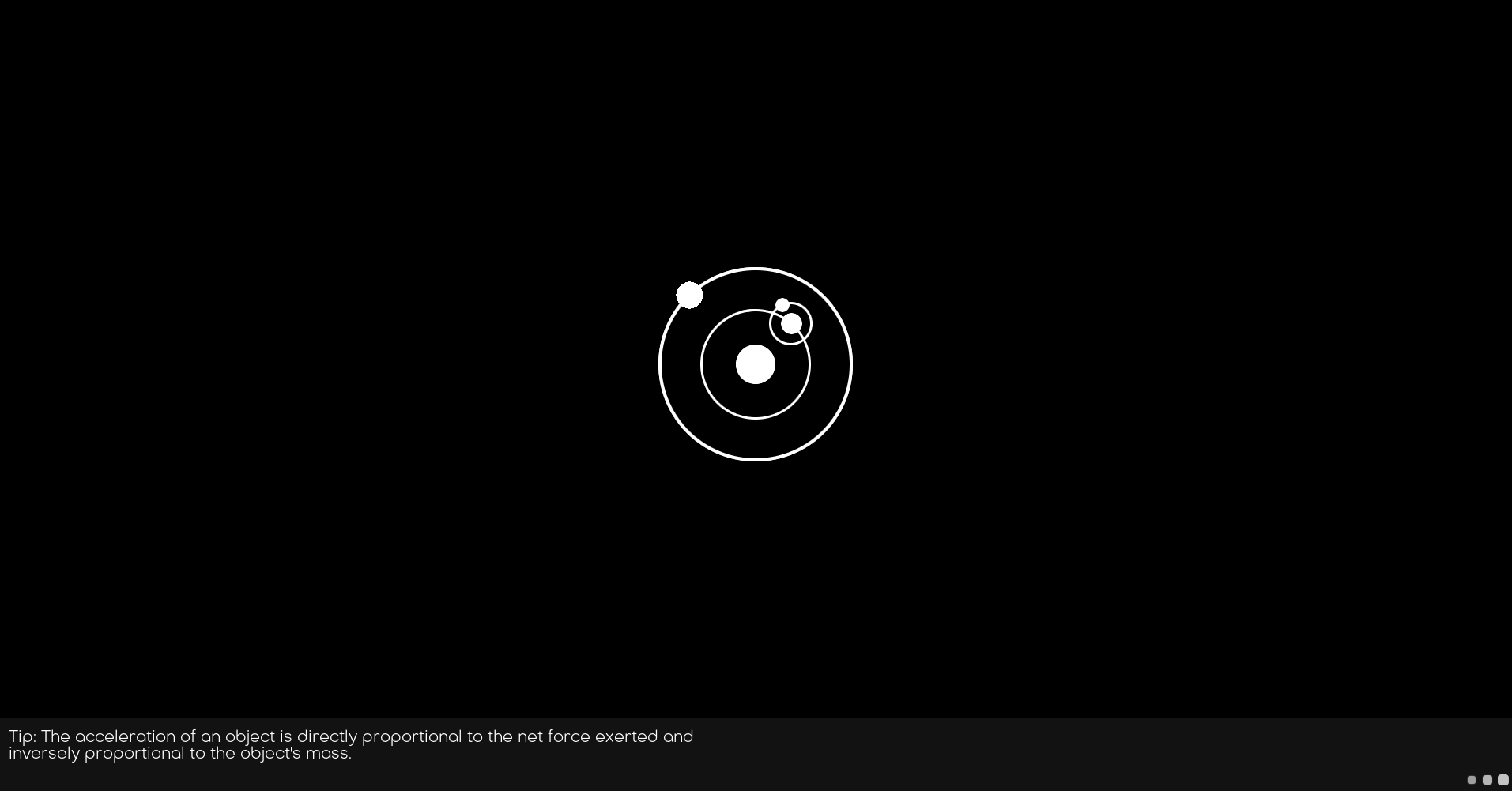
    UI Left, Right, and Center     This sprint was comprised almost entirely of UI adjustments and improvements. I fixed up the loading screen so it looks and functions smoothly and I tweaked lots of UI elements in-game with a new font and more consistent styling. Loading Screen     For the last few sprints I have mentioned a video by Epic Games as my blueprint for making a loading screen based off the action RPG demo . When I tried this approach though I couldn't manage to get the game to build with the extra module. So, a bit defeated by not being able to do something so simple I went looking around the internet for something else. Approach 1: Plugin     Pretty quickly I came across the Async Loading Screen plugin. From the outset it looked very promising. It seemed to have lots of customization, did exactly the same thing as the RPG demo, and seemed pretty simple to use. I will say that getting it up and running in my project took literally m...