Posts

Progress Update #16

Image
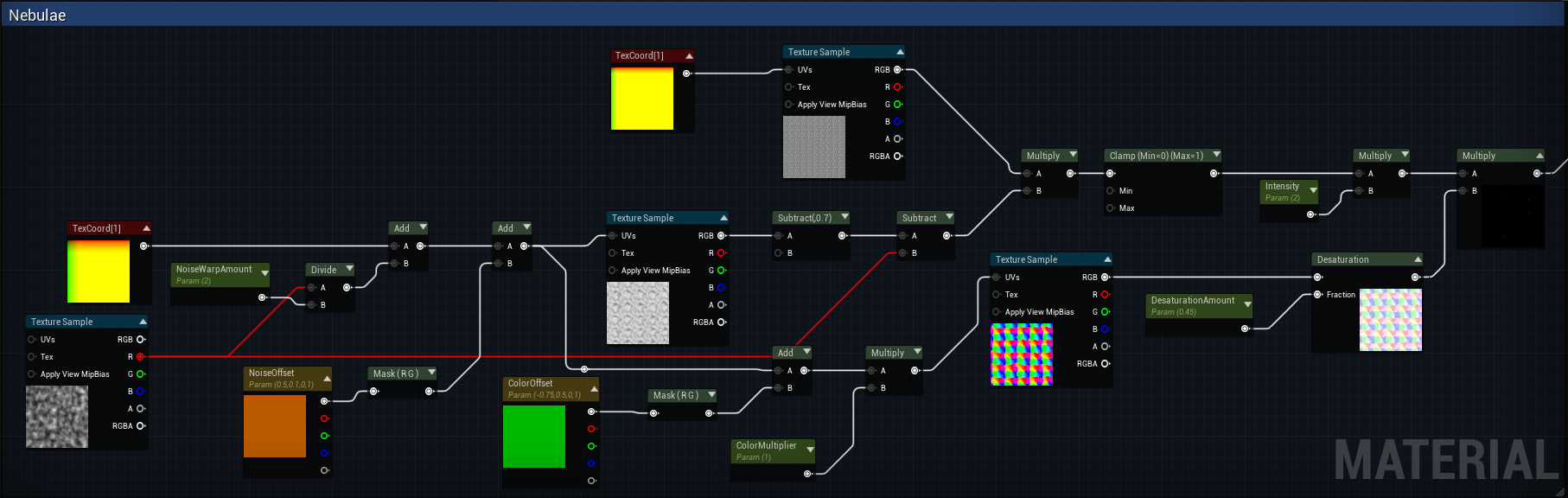
  Improving the Skybox     I only had one deadline today so this progress update is going to be a little shorter. The feature that I had to complete was to improve the skybox. This meant adding support for nebulae.  Nebulae:     Looking at pictures of the night sky online, I noticed that there was more going on than just stars. The main thing was interstellar clouds of gas or distant clouds of stars. Without fully simulating these complex structures, I believed I could fake them with some random noise. Now, what I came up with is not too complex but I believe it produces a solid illusion of these structures and definitely gives the skybox more variety. In my opinion the desaturation really sells the effect (note: the first three example pictures were taken before I added desaturation, see the last picture for what desaturation looks like). https://blueprintue.com/blueprint/_fwl825c/     I also wrote the corresponding C++ to make all...
Progress Update #15

Image
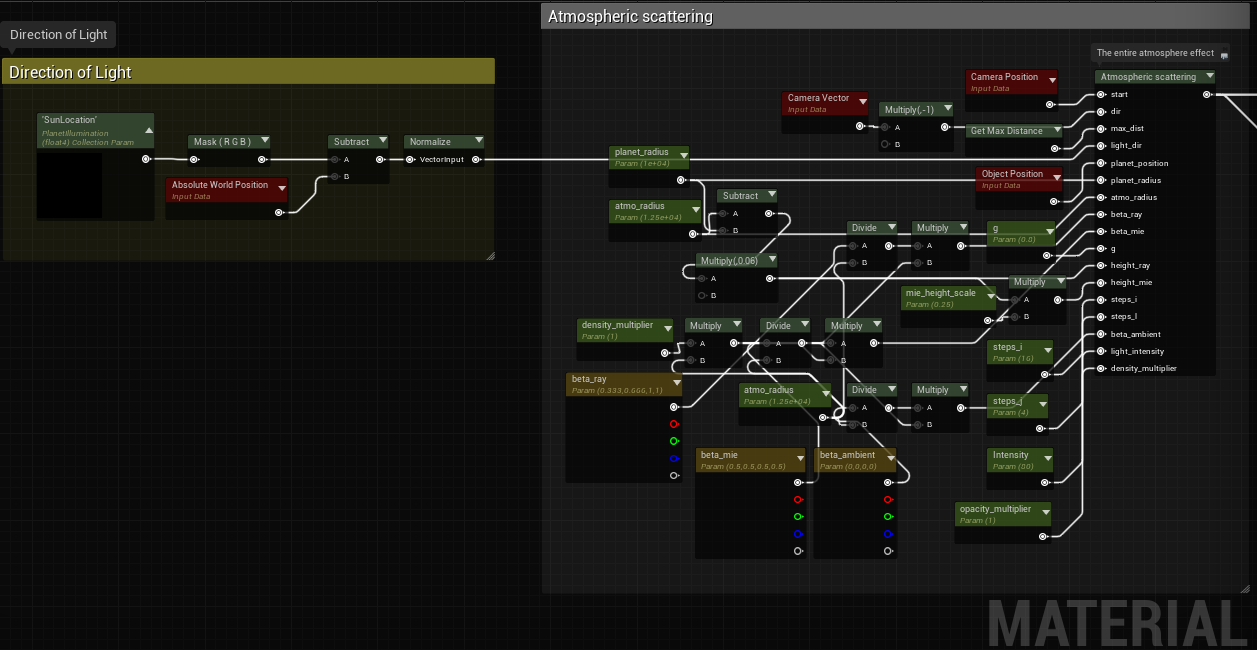
      Atmosphere and Clouds in UE4     This past week has been entirely dedicated to making atmospheres for the planets. After recently re-watching Sebastian Lague's Coding Adventure: Atmosphere , I had become inspired to do the same for my planets, but I wanted clouds too. (Also the Trello is now available here ) The Atmosphere:     Making the atmosphere was actually incredibly easy, mostly because someone had already done exactly what I was trying to do. While doing research into atmospheres in game engines, I came across a GitHub repo called: Realistic Atmosphere in Godot and UE4 . Suffice it to say, the materials included in this repo were perfect for my application.      Now, I didn't want to just Ctrl+C Ctrl+V because the purpose of this game is for everything to be done by myself, and I didn't really think that would count. However, I did spend a fair amount of time figuring out how it works, so by now I have a fair...

Progress Update #14

Image
    Bug Fixes... Hurray!      The past week I have been fixing various levels of issues, from engine breaking corrupt files to making the orbit debug just a little more accurate.  Fixing the Orbit Calculation     In progress update 12  I started trying to calculate orbit velocities, this time however I was determined to finish it and get it right. So as I said in that update I started with the gravitational two-body problem .     Just to recap the orbit section of update 12; I wasn't able to use the standard calculation for orbital velocity because neither mass in my game was negligible, so instead of that I tried to make an approximate equation based on manually acquired velocities of different masses, but it didn't work for all masses because of the sample size.     The gravitational two-body problem, " concerns the motion of two point particles that interact only with each other, due to gravity" where the mass...

Progress Update #13

Image
  Niagara Asteroids in UE4     These past few days I have continued work on asteroids. Only that now I have ditched instanced static meshes in favor of getting my hands on the new-ish Niagara particle system.  Learning Niagara     I have decided that since this is an entirely new subsystem of the engine I would do everything in blueprint first, then transition everything to C++ when I knew it was working reliably. Additionally, because Niagara is still relatively new, the official documentation is sparse if existent at all. So with most tutorials at this time geared towards blueprint implementation, starting in blueprint will give me the highest likelihood of finding a solution to any problems I may come across. The Niagara Workflow     The first thing I learned about Niagara is that the workflow has changed significantly from what cascade was. Where in cascade (to my limited knowledge) you worked in one particle system where e...

Progress Update #12

Image
  Early Spring Cleaning + New Small Features     This past week I have taken care of some TODO's and changed a few small features. From Commit  986d999: "Fixes"     This commit had to to mainly with structure. I have recently been reading "Design Patterns: Elements of Reusable Object-Oriented Design" (available as a pdf here ) all about the importance of intentional design and design patterns in object-oriented programming. The reading got me thinking about how haphazard I have been recently with adding new features and how I should probably plan out as much of a system as I can in UML before diving head-first into development. This is where the "Fixes" come in.     The biggest change here was the creation of a GaseousColorGenerator class. This is to keep the structure of gas giants more in line with that of the terrestrial planets; that is to have a color generator object that handles creating textures, changing material properties, et...

Progress Update #11

Image
   Planetary  Ring Systems in UE4     Since completing gas giants last week I wanted to add one more feature to make these pretty simple planets a little more interesting: rings (or as Wikipedia defines them " ring systems ").     The first problem to solve was how I was going to go about adding rings to planets. As in would they be a component, part of the root mesh, a separate actor, or something else? In the end, I decided to make ring systems an actor component for a few main reasons. 1) I would be able to add rings to terrestrial planets too 2) Actor components would be more flexible than hard-coding them into a single planetary class and 3) I haven't used actor components yet in this project and it would expand my knowledge base. The biggest downside to this approach, as I would soon find out, is that actor components have no rendering capabilities meaning that I would have to spawn and use a separate static mesh component to ...

Progress Update #10

Image
  Gas Giants in UE4     I have been dealing with terrestrial planets for quite some time now, and the solar system is looking a bit bland. It is time to tackle gas giants. (p.s. this is going to be more technical art than the usual C++) Research     Since I wasn't following any sort of tutorial, I was starting completely from scratch with this one. Doing some simple google research reveals that gas giants do have a solid core, but the "surface" of the planet that we see is made of gasses. For the game, this meant I could use a simple sphere for the mesh and add all of the detail through the material.       I intend to use an  icosphere for this purpose because of its even distribution of faces and its less distorted UVs. For now though I am using the standard unreal UV sphere which causes distortion near the poles and is more jagged near the equator.     Thinking about how I could replicate the look of a gas giant in a game I c...